
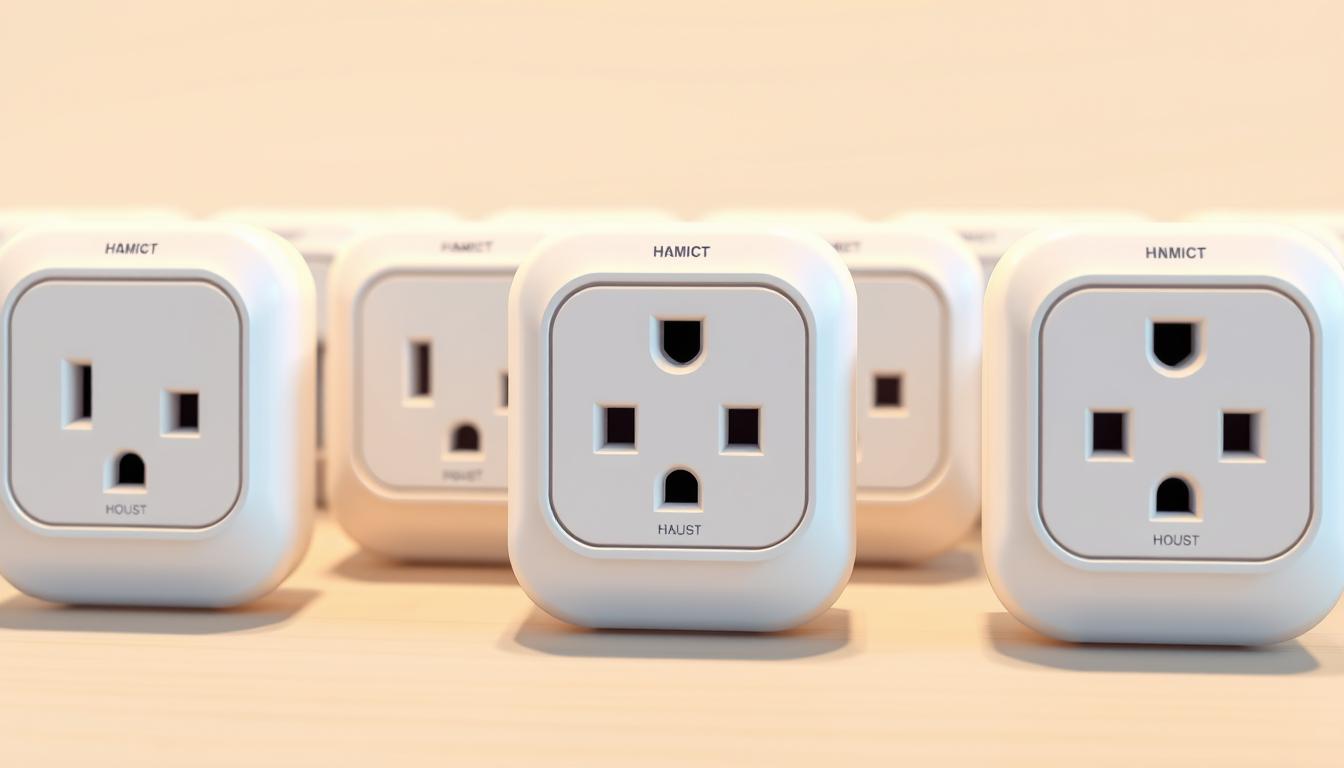
How Seniors Can Use Smart Plugs to Make Their Homes Safer
Make everyday tasks easier and safer at home with a few small devices that let you control lamps, fans, and other appliances from an app or by voice.
You can set schedules so lights come on before you stand up at night. You can also cut power to a coffee maker after it runs. These habits reduce falls and fire risks without extra effort.
We’ll show which models work well with amazon alexa and google home, which features matter most, and how to name each device so voice commands are easy to use. You’ll get clear tips on setup, energy tracking, and choosing compact plugs that won’t block nearby outlets.
By the end, you’ll know the best smart options to add safety, save energy, and grow your smart home at your own pace.
Key Takeaways
- Use simple schedules and voice controls to reduce daily risk.
- Pick devices that pair smoothly with amazon alexa or google home.
- Look for energy data and compact design as top features.
- Name each device clearly so app and voice commands work every time.
- Follow easy setup steps to avoid common headaches on day one.
Why Smart Plugs Matter for Aging in Place
Automating a few lamps and appliances can make daily life safer and more predictable at home. Simple automation brings independence and calm to you and your loved ones without adding stress.
Use voice commands or apps to turn lights on at dusk, switch a hall lamp off at bedtime, or shut a coffee maker after use. These small controls cut fall and fire risks while keeping routines steady.
Safety, independence, and peace of mind
Caregivers can check schedules and get alerts through remote monitoring. That means fewer phone calls and more quiet assurance that key devices behaved as expected.
Everyday tasks made easier
Start with one plug in a busy spot like a hallway. As you gain confidence, add more rooms to build a safer smart home. Clear names in google home or similar assistants make voice control feel natural.
Scheduling and away modes also help trim wasted energy by turning things off when not needed. For many people, this small step delivers immediate benefits in safety, convenience, and energy savings.
What a Smart Plug Is and How It Works
Plugging an adapter into a wall socket is the easiest way to add remote control to everyday appliances. A smart plug fits into a standard outlet and controls power to whatever you plug into it.
Once you finish the initial setup in the manufacturer’s app, you can turn the connected item on or off from your phone or with a voice assistant. You’ll name the device (for example, “Bedside Lamp”) so your assistant always knows which item to control.
Turning “dumb” lamps and appliances into smart home devices
Most indoor models run on Wi‑Fi and are rated at 15A, which works for lamps, fans, and coffee makers. Some plugs use Matter, Thread, Zigbee, or Z‑Wave and may need a hub for compatibility with other devices.
Start with one in a busy spot, pick a compact design so you don’t block the second receptacle, and expand room by room as you grow your smart home.
Smart Plugs and Senior Safety: Practical Use Cases at Home
Small, timed lighting routines can turn a dim hallway into a safe route home each evening. Use simple schedules to keep main paths lit at dusk and off at a set time so you never stumble in the dark.
Lights on at sundown, off at bedtime
Set living room lights to come on at sunset and switch off after your usual bedtime. Create a schedule for a favorite reading lamp so it shuts off automatically and you don’t have to get up again.
Reducing trip hazards and nighttime wandering
Keep low-glare night-lights in the bathroom and hall during overnight hours. Use voice commands to turn on bed or hall lamps before you stand, reducing trip hazards and making movement safer.
Caregiver-friendly check-ins without disruption
Caregivers can check devices through the app to confirm a lamp turned off as planned. Use an Away routine to light a room for a few hours in the evening when you’re out for added peace of mind.
Label plugs by room and purpose so commands stay simple. Start with entry, hallway, and bathroom, then expand to other rooms as you grow your system. Avoid powering high-draw appliances with these outlets.
Buyer’s Checklist: Features That Truly Help Seniors
Choose features that reduce clicks and confusion so you can control lighting and appliances with confidence.
Ease of use
Pick devices with a clean app and large text. Clear device names and an obvious on/off button cut mistakes.
Physical feedback—like a small LED or tactile switch—helps you confirm status without the phone.
Voice and compatibility
Confirm amazon alexa or google home compatibility if you plan to use voice. Apple users should check Apple Home and Matter support.
Many Wi‑Fi models work without a hub; choose that unless you already own a compatible ecosystem.
Energy, scheduling, and size
If you want real energy data, pick a model with built‑in monitoring. Reliable scheduling and an Away mode support daily routines and security.
Finally, avoid bulky plugs that block the second receptacle. Measure the available space behind furniture and confirm outlet placement before purchase.
Top Picks Today: Best Smart Plugs for Seniors
Dive into a short list that highlights clear advantages so you can pick the right outlet accessory with confidence.
Emporia 15A
Standout: real‑time energy monitoring and simple setup.
Choose this when energy tracking matters most. It gives charts and flexible automations, though it lacks Apple Home support.
TP‑Link Kasa Mini / EP25
Standout: compact size and dependable scheduling.
This low-cost option saves space behind a nightstand and runs rock‑solid timers in an easy app. It does not report energy use.
Leviton D215P‑2RW
Standout: Matter and Apple Home compatibility with a slim body.
Great if you use Apple Home; the slim design leaves the second outlet free. It typically costs more than basic models.
GE Cync Indoor, HBN Dual Outlet, Amazon Smart Plug
GE Cync: clean routines and grouping if you like app scenes; some find the app quirky.
HBN Dual Outlet: control two devices independently in one compact unit.
Amazon Smart Plug: seamless in Alexa homes with fast pairing and auto‑reconnect; not ideal outside that ecosystem.
Tip: favor a unit with a visible button and indicator light if you like on/off confirmation, and pick compact models when space is tight.
Models and Pitfalls to Avoid Based on Recent Testing
Before you buy, check recent test notes to avoid models that create more hassle than help. Test reports flag specific issues that affect daily use and peace of mind.
Connectivity, setup, and app pain points to watch for
Watch apps that confuse more than they help. Several testers found the GE Cync app hard to navigate, even though some users like its routines.
Some devices drop Wi‑Fi or need manual pairing, as with certain Geeni units. That undermines confidence when you expect reliable on/off control.
Size matters: Shelly and UltraPro models can block the second outlet or stick out awkwardly behind furniture.
When Matter support complicates more than it helps
Early Matter versions caused problems in a few models. Tapo P110M and the Meross MSS315 showed unstable cross‑platform behavior and tricky Apple Home setup.
Also mind platform lock‑in. Amazon or Ring devices work well with amazon alexa but feel limiting if you later want google home or a different ecosystem.
Tip: skip plugs that lack basic features like Away mode or energy monitoring if those features matter to you. Avoid options that require a hub unless you already own one.
smart plugs for seniors: Matching the Right Plug to Your Needs
Choosing the best unit depends on what matters most—energy insight, compact size, Apple compatibility, or dual outlet control.
If energy tracking is key, Emporia wins. It gives clear charts and simple controls in the app so you can monitor use and cut waste.
If budget and space matter, TP‑Link Kasa Mini is a good way. It stays out of the way, keeps the second outlet free, and runs reliable schedules.
If you use Apple Home, Leviton D215P‑2RW offers Matter compatibility and a slim body that preserves tight space behind furniture. HBN fits people who need two separate outputs in one wall spot.
Prefer a model with an easy app and clear device names so voice control works every time. Start in the room you use most, add devices slowly, and pick the features you will actually use day to day.
Voice Control That Works: Alexa, Google, and Apple Options
Use voice control to flip lights, run fans, or cut power to devices without leaving your chair. Good voice commands save steps and reduce accidents when you move around the house less.
Hands-free commands for lights, fans, and more
Most major brands offer broad support with amazon alexa and google home. Amazon’s own plug pairs quickly and often reconnects after outages, which helps reliability.
Apple users should favor Matter-enabled models like the Leviton D215P‑2RW for smooth Siri control and Apple Home access. Test a few simple commands during setup so you know what works.
Setting names that are easy to remember and say
Give each outlet a clear, natural name such as “Bedroom Lamp” or “Hall Night Light.” Short, distinct names help assistants hear you correctly and reduce repeated attempts.
Group devices by room so a single command—like “Turn off bedroom”—shuts multiple lights. If a speaker doesn’t hear well, move it to a more open spot or add another one near the room you control.
Finally, check privacy options in the companion apps and teach household members the same names so voice commands work reliably for everyone.
Simple Setup and First-Time Use
Setup is a one‑time task that makes daily lighting and appliance control effortless. Start slowly and you’ll avoid confusion. Pick one outlet and follow each step below.
Pairing, naming, and basic schedules
Unbox the unit, open the brand’s app on your phone, and follow the on‑screen setup steps. Keep your Wi‑Fi name and password handy so the app moves quickly.
Plug it into one of your outlets and watch for the indicator light. Add the device in the app and give it a short name like “Hall Lamp” so voice commands work reliably.
Tip: Amazon Smart Plug pairs directly inside the Alexa app without extra accounts. Non‑Matter options such as TP‑Link Kasa EP25 often set up smoothly across platforms.
Test on/off from the app, try a couple of voice commands, and create a simple schedule—sunset on, 11 pm off. Use the physical button for quick local control if your phone isn’t nearby.
If setup stalls, power‑cycle the plug and your router, then retry. Add one device at a time, label each clearly in the app, and tweak the schedule after a day or two so timing matches your routine.
Scheduling and Routines That Support Daily Living
A few timed actions can change how you start mornings and end evenings at home. Use clear, simple schedules so routines run without extra thought.
Wake-up, medication reminders, and bedtime lighting
Set a bedside lamp to fade on softly before wake time. This eases you into the day without fumbling for switches.
Use another schedule as a visual medication reminder—turn a lamp on at pill time, then off 30 minutes later. Keep these events short and predictable.
Create a bedtime routine that dims or cuts lights at a set time so your body winds down naturally.
Away mode and vacation time safety habits
Use away mode to cycle lamps at realistic hours so the home looks occupied. For vacation, stagger on/off times across rooms to mimic normal activity.
If you like voice control, build a routine in amazon alexa or google home so a single command like “Goodnight” shuts lights and fans at once.
Keep schedules simple—two or three well‑timed events per day. Use your app on a phone to tweak times while you’re out.
Avoid scheduling medical equipment or high‑draw appliances. Coordinate routines with any smart bulbs and other devices so they don’t conflict.
Energy Monitoring and Savings Without the Stress
Seeing real‑time usage helps you find easy wins to cut monthly costs without extra work. Monitoring is a feature that turns guesswork into clear numbers so you can act with confidence.
When to pick a plug with real‑time energy data: choose one if you want to know which device uses the most power and where simple schedules will save money. Emporia’s 15A model shines with live graphs, historical charts, and easy automations that reduce waste during peak times.
If you only need on/off control, skip monitoring and save money with a basic model. But if habits matter—like a lamp left on all day—monitoring helps you spot the problem and set a schedule to fix it.
Practical tips
Start with one monitored outlet on the biggest suspect. Use weekly summaries if minute‑by‑minute charts feel overwhelming.
Pair monitoring with routines so nonessential items power down overnight. Share results with family so everyone sees which device costs the most and why a simple schedule reduces bills.
Indoor vs. Outdoor Smart Plugs
Outdoor-rated outlets need different specs than indoor units to handle rain, cold, and sun. Don’t assume an indoor model will survive on a porch or near a garden hose.
Indoor plugs belong in dry, temperature-controlled rooms. They save space and are easy to place near lamps and bedside outlets.
Outdoor units must show an IP/weather rating and a wide operating temperature range. IP44 is OK for mild weather, but look for higher protection if winters are cold where you live.
Weather ratings, temperature ranges, and safe placement
Verify whether the model lets you control each outlet independently, especially if you plan to power two devices. Some outdoor ones lack separate control or need a hub—choose Wi‑Fi models if you don’t want extra support hardware.
Place outdoor outlets under cover, test each outlet’s on/off in the app, and give clear names like “Porch Light” and “Garden Lights.” Pick a plug with a sturdy body and an easy-to-press button so you can local-control when your phone is not nearby.
Safety First: What Not to Plug In
Not every appliance belongs on a controllable outlet—some belong on a dedicated circuit or a hardwired switch. Use caution and protect your home by reserving these outlets for low‑power items.
High‑draw heaters, ACs, medical devices, and major appliances
Never use these outlets with space heaters, portable air conditioners, dehumidifiers, or similar high‑draw items. Most indoor units are rated 15A and can overload when a device pulls more current.
Do not plug refrigerators, washers, or dryers into a controllable outlet. Sudden power loss can damage the device or spoil food, and startup surges often exceed safe limits.
Avoid connecting medical devices that need uninterrupted power. These should remain on a dedicated circuit and never be switched by schedules or voice commands.
When in doubt, check the appliance wattage against the outlet’s amperage rating. Label off‑limits outlets so other people in your home don’t control the wrong device, and unplug immediately if you feel heat or see discoloration. Ask an electrician about dedicated switches for heavy loads.
Working with Other Smart Home Devices
You can make your system more useful by combining bulbs, sensors, locks, and outlets into simple scenes. When devices share routines, a single tap or voice command can adjust lighting, secure doors, and cut power to small appliances at once.
Smart bulbs, sensors, and locks for a safer home
Mix bulbs and plugs to get layered lighting: use bulbs for dimming and color and plugs for basic lamps or seasonal strings. Add motion or door sensors so lights come on at night and switch off after inactivity.
If you use smart locks, build a routine so locking the front door also turns off living room lamps and other outlets. Group related smart devices by room so one command controls everything.
Some systems require a hub; if you are starting out, prefer Wi‑Fi gear to avoid extra boxes. Check warranty and platform timelines—Wemo and other brands sometimes drop support, which can limit future features.
Tip: Create app scenes like “Movie Night” or “Goodnight” so the same short command works across assistants and makes daily life easier.
Caregiver Considerations and Remote Support
Caregivers can make daily routines simpler by sharing device access and checking status from their phone. This keeps everyone informed without extra visits and gives quick, practical support when routines slip.
Co-managing schedules and notifications with family
Share app access with a trusted family member so someone else can tweak schedules or check status from their phone. Keep schedules simple and visible so people know what turns on and off and when.
Use notifications sparingly—only when a key lamp misses its schedule—to avoid alert fatigue. If multiple helpers pitch in, assign rooms or devices to each person to keep roles clear.
Practical tips: build a “Goodnight” routine that a caregiver can trigger remotely to turn off living room plugs at once. Enable amazon alexa or google home for loved ones who prefer voice control.
Label outlets and plugs to match app names, run a weekly check to review what worked, and respect privacy—avoid controlling medical gear. Start with one plug in a high‑value spot like the hallway and expand as needed to keep things manageable and calm.
Bringing It All Together: A Safer, Easier Home You Control
Bringing it all together: begin with one device in a busy spot and build a safer smart home at your own pace.
Choose the best smart model that matches your goals—Emporia for energy insight, Kasa for compact schedules, Leviton for Apple support, HBN for dual outlets, or Amazon for Alexa ease. Keep names short and clear so voice or the app works every time.
Lean on simple routines—on at dusk, off at bedtime—and add vacation schedules to mimic normal times when you travel. Check settings now and then, avoid high‑draw and medical gear, and pick brands with reliable support so your home stays comfortable and safe.