
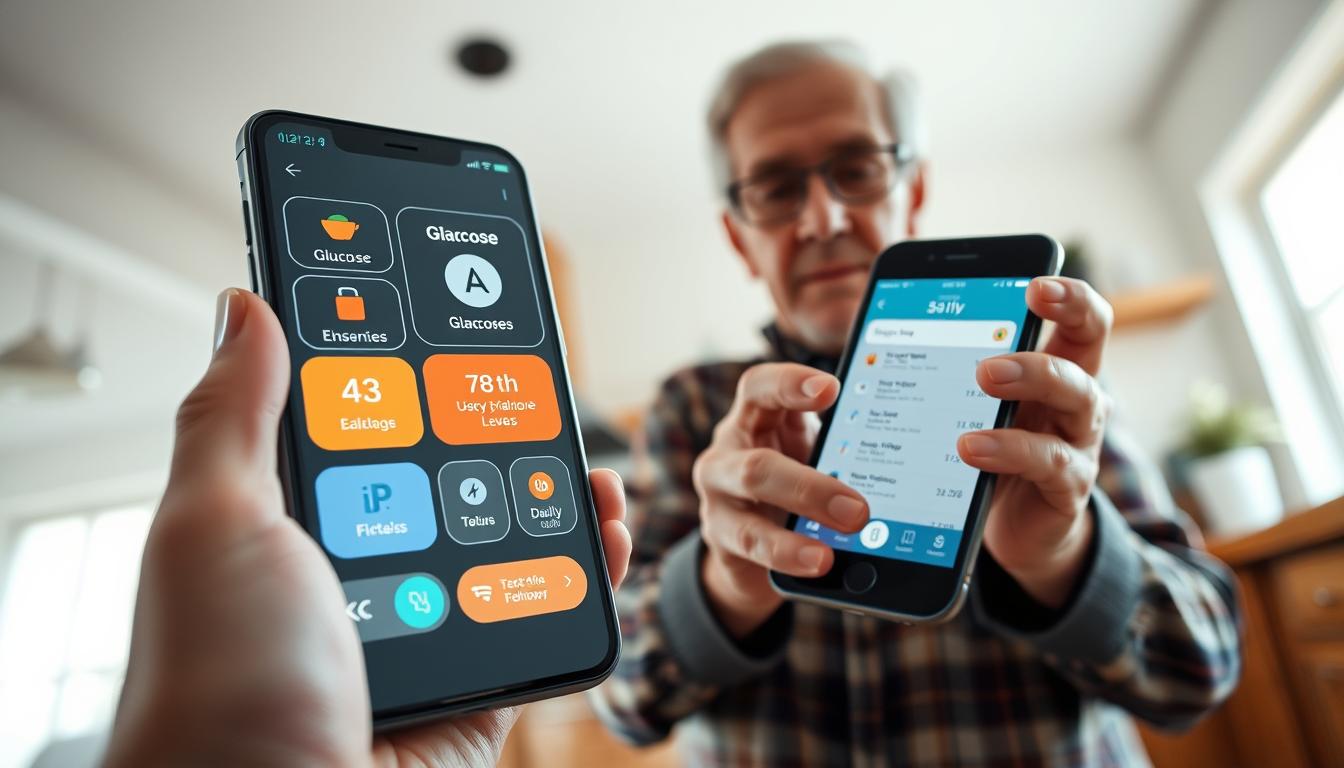
Glucose Tracking Apps Designed for Diabetic Seniors With Low Vision
Receiving a diagnosis like type 1 or type 2 diabetes can feel overwhelming. With the right tools, you can take control of your health. Managing this condition requires a careful balance of diet, exercise, and medication. Keeping your blood sugar in a healthy range demands constant attention.
Modern technology offers powerful solutions to simplify your daily routine. Specialized tools provide real-time insights and streamline tracking. They connect with devices like continuous glucose monitors (CGM). They also help with carb-counting and insulin calculations.
This guide focuses on options created for individuals with vision challenges. You will learn how these tools feature accessible, easy-to-read interfaces. They use large fonts, high-contrast displays, and voice commands. This design allows for independent health monitoring without struggling with small screens.
Finding the right tool is crucial for successful long-term management. The best options match your specific needs, making daily tasks less stressful. They give you the confidence to handle your well-being effectively.
Key Takeaways
- Specialized tools can transform your daily routine by providing accessible interfaces designed for visual impairments.
- Modern technology enables independent monitoring of blood sugar levels, even with vision challenges.
- Using these tools eliminates much of the guesswork involved in tracking meals, medications, and readings.
- Look for features like voice commands, large text, and high-contrast displays for easier use.
- The right application can integrate with monitoring devices to automatically log data and create reports.
- Choosing a tool that fits your specific needs is key to reducing stress and managing your condition confidently.
Understanding the Needs of Diabetic Seniors with Low Vision
When visual challenges complicate daily health monitoring, finding accessible solutions becomes essential. Traditional tools often fall short for people with vision limitations.
Challenges of Glucose Monitoring for Seniors
You may struggle with small displays on standard meters. These devices typically show tiny numbers with poor contrast. Reading your results independently becomes difficult.
Manual tracking adds another layer of complexity. Recording meals, medications, and readings requires clear vision. Fine motor skills needed for these tasks may also be affected.
Accessibility and Usability Considerations
Effective tools go beyond larger text. High-contrast color schemes and voice commands make navigation easier. Simplified interfaces reduce the number of steps needed.
Audio confirmations and tactile feedback provide alternative ways to receive information. These features help you maintain independence in your daily care routine.
Choosing the right tools empowers you to manage your condition confidently. Proper support reduces frustration and helps maintain stable blood glucose levels over time.
Exploring diabetic seniors glucose apps: Key Insights
Several leading applications have emerged as top choices for individuals seeking comprehensive health tracking capabilities. These tools offer different approaches to managing your condition effectively.
Overview of Popular App Options
Glucose Buddy stands out as a comprehensive diabetes tracker. It helps you monitor multiple health metrics in one place. The premium version adds valuable features for deeper insights.
mySugr offers a unique gamified approach to logging. It makes daily tracking feel less like a chore. This option is particularly popular among people with type 1 diabetes.
One Drop provides extensive tracking capabilities across various health areas. It connects with other popular health platforms for integrated management.
| Application | Key Features | Device Compatibility | Special Capabilities |
|---|---|---|---|
| Glucose Buddy | Track blood sugar, insulin, meals, exercise | Dexcom, Apple Health | Meal IQ food impact insights |
| mySugr | Bolus calculator, carb counting | Various glucose meters | Gamified monster taming interface |
| One Drop | Medications, diet, activity tracking | Fitbit, MyFitnessPal, Dexcom | Cross-platform data sharing |
| Diabetes:M | Detailed measurement logging | Email reporting | Color-coded charts for physicians |
| Dario Health | Direct meter synchronization | Dario glucometer system | Automatic reading uploads |
Real-Time Data & Automatic Logging Features
Modern tools minimize manual data entry through automatic synchronization. The Dario Health app automatically uploads readings when you use their meter. This eliminates potential errors from manual recording.
Sugarmate works seamlessly as an authorized Dexcom partner. It provides emergency alerts when levels need attention. These automatic features help you identify important trends over time.
Automatic logging reduces the daily burden of management. It ensures all your information gets captured accurately. This leads to better insights for making informed decisions about your health.
Essential Features to Look For in Glucose Tracking Apps
The most valuable health applications provide more than just basic logging – they deliver actionable insights through specialized features. These tools transform raw data into meaningful patterns that support your daily decisions.
Food Logging, Carb Counting & Meal Insights
Effective food tracking goes beyond simple calorie counting. Look for applications that offer multiple input methods like photo capture, barcode scanning, or voice commands.
UndermyFork demonstrates this well with its photo-based system. You simply snap a picture of your meals and add tags. This approach helps you monitor how specific foods affect your blood sugar over time.
Carb counting features are essential for understanding meal impacts. Some tools include extensive food databases with pre-calculated values. This simplifies the process of tracking your daily intake accurately.
Insulin Calculators and Trend Reports
An insulin calculator reduces dosing errors by providing precise calculations. Tools like mySugr PRO help determine correct doses for meals and corrections. This feature enhances safety in your daily management.
Trend reports reveal patterns in your blood sugar levels across days or weeks. These visualizations help identify when levels tend to run high or low. You can share comprehensive PDF or Excel reports with your healthcare provider.
These features work together to provide a complete picture of your condition. They turn scattered data into actionable information for better decisions.
Integrating Apple Health and Device Connectivity
Seamless integration between devices and applications is a game-changer. It automates the most tedious part of management: manual data entry. This connectivity ensures your information is always current and accurate.
Look for tools that work with Apple Health. This allows your blood sugar data to flow automatically into a central hub. You can see how your levels relate to exercise, sleep, and other health metrics.
Syncing with Apple Health and CGM Devices
Many applications connect directly with continuous glucose monitors and meters. For example, Glucose Buddy integrates with Dexcom devices. Your readings import every few minutes without any effort.
After downloading UndermyFork, it asks for your target range and preferred tracking method. It then requests permission to auto-sync data from your Apple Health app. This creates a seamless logbook.
Broad device compatibility is crucial. Glooko works with over 100 different meters, pumps, and CGMs. This is ideal if you use multiple devices or might switch in the future.
| Application | Apple Health Sync | Key Device Partnerships | Unique Connectivity Feature |
|---|---|---|---|
| One Drop | Yes | Bluetooth meter, Fitbit | Readings sent to phone and other devices |
| Happy Bob | Yes | Dexcom G6, G7, ONE+ | Rewards “stars” for time in range |
| MySugr | Yes | Google Fit, Accu-Chek meters | Tracks steps, activity, blood pressure |
| Sugarmate | Yes (Apple Devices) | Dexcom | Family Sharing for remote monitoring |
| Diabetes:M | Data can be shared | Various popular apps | Syncs health data across platforms |
This automatic flow of information makes spotting trends simple. You can share accurate reports with your healthcare team. It empowers you to stay within your target range confidently.
User Experience: Simplifying Diabetes Management
Customizable interfaces and clear navigation paths make managing your condition less stressful and more effective. The right design can significantly impact how consistently you use your tracking tool.
Design Tips for Low Vision Users
Look for applications that offer more than just large text. High-contrast color schemes and adjustable display settings are essential. These features help you read information clearly without straining your eyes.
Spacious button layouts and voice guidance options improve navigation. They make the tool easier to use if you have hand tremors or reduced visual acuity. This thoughtful design supports independent health monitoring.
Rachel Stahl Salzman, a certified diabetes care specialist, emphasizes personal preference. “The best app for a person with diabetes depends on their individual needs,” she notes. Trying different options helps you find what works best for your routine.
Feedback from Healthcare Providers
Your healthcare provider values tools that generate comprehensive reports. Clear data sharing makes appointment discussions more productive. It provides accurate information about your patterns between visits.
Safety features like automatic alerts demonstrate excellent user experience design. Some applications can call your phone during extreme levels. They can also notify family members, providing additional peace of mind.
| Accessibility Feature | User Benefit | Example Implementation |
|---|---|---|
| Customizable Text Size | Readable display without eye strain | Slider control for font adjustment |
| High-Contrast Themes | Clear visual distinction between elements | Dark mode with bright accent colors |
| Voice Command Support | Hands-free operation and navigation | Voice-based data entry and retrieval |
| Large Touch Targets | Accurate tapping with motor challenges | Buttons sized for easy selection |
| Simple Menu Structure | Intuitive navigation without memorization | Three-click maximum to key features |
Consolidating multiple functions into one platform reduces daily time commitment. This integrated approach simplifies your care routine. It helps you maintain consistent tracking habits long-term.
Tips for Choosing the Right Glucose App for Your Needs
The decision-making process for health management tools should focus on both functionality and ease of use. Begin by identifying what features matter most for your daily routine.
Consider whether you need continuous monitoring device connectivity or comprehensive meal tracking support. Your specific requirements will guide you toward the best option.
Evaluating Usability and Data Security
Test the application’s navigation during your first few minutes of use. If basic functions like logging readings or meals are difficult to find, try other options.
Data protection is crucial since these tools store sensitive health information. Look for clear privacy policies and encryption methods that safeguard your data.
Weighing Free Options Against Premium Upgrades
Many excellent tools offer free versions with core functionality. These typically include basic tracking capabilities for blood sugar levels and medication reminders.
Premium subscriptions add advanced features like insulin calculators and detailed reports. MySugr PRO demonstrates this well with its comprehensive upgrade options.
| Feature Type | Free Version Capabilities | Premium Version Benefits |
|---|---|---|
| Basic Tracking | Log blood sugar, meals, medications | Advanced analytics and trend reports |
| Device Connectivity | Manual data entry | Automatic sync with monitors |
| Reporting | Basic charts and graphs | PDF/Excel reports for doctors |
| Calculation Tools | Simple logging functions | Insulin calculators and meal insights |
| User Experience | Standard interface | Ad-free, enhanced accessibility |
Try several free applications before committing to paid subscriptions. This approach helps you find the tool that best supports your management plan.
Remember that these applications complement medical advice rather than replace it. The right choice can make daily tracking simpler and more effective.
Conclusion
Empowering yourself with accessible tools can transform the way you navigate health challenges. The right technology supports independent monitoring while providing confidence in your daily routine.
These solutions bridge the gap between your self-care efforts and your healthcare provider’s guidance. They create a continuous flow of information for better treatment decisions.
Whether you need CGM integration or meal planning support, there’s a tool for your specific situation. Try free versions first to find your perfect match without financial commitment.
Your healthcare provider can offer valuable insights when selecting the best option for your diabetes management plan. While technology complements medical advice, it makes daily care easier and less stressful.
Taking control of your health means maintaining independence and enjoying better quality of life. The future looks bright for accessible solutions that accommodate vision needs without compromising functionality.