
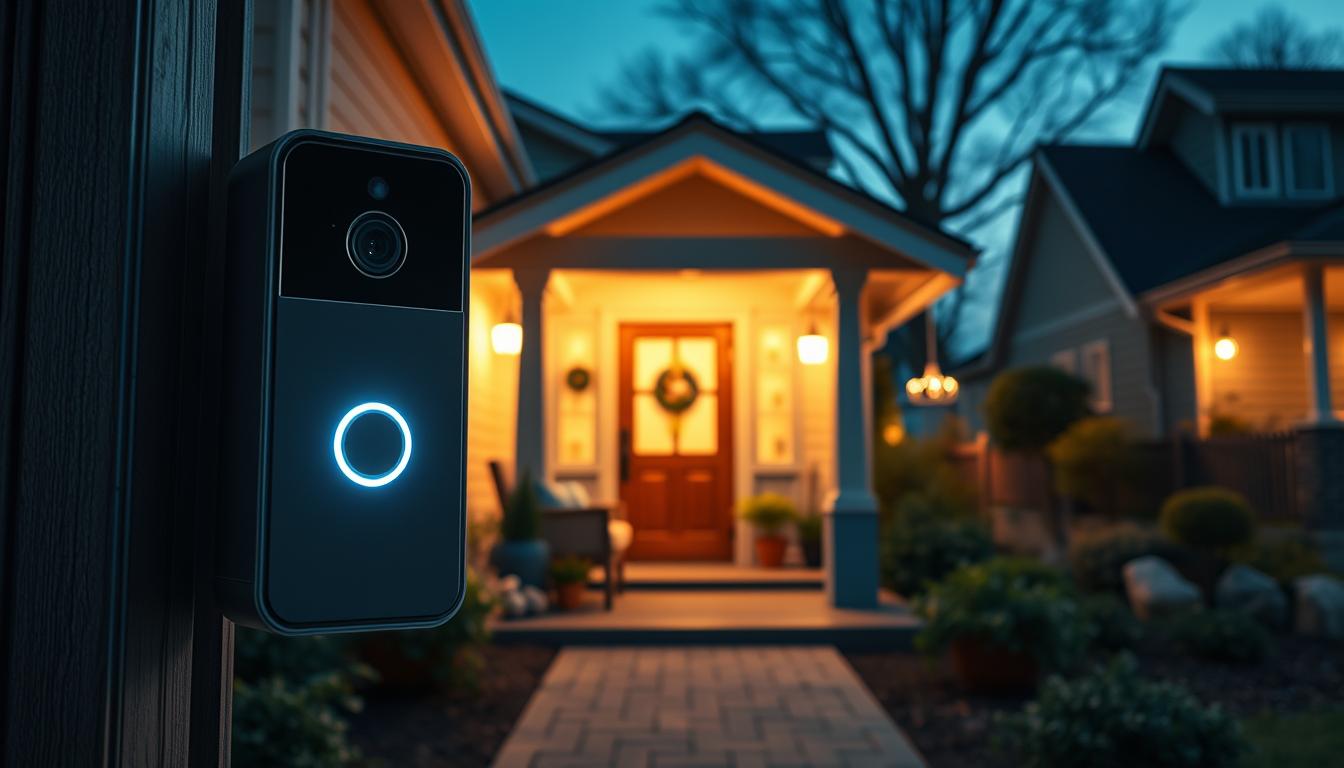
How Seniors Who Live Alone Can Use Smart Doorbell Alerts for Night-Time Safety
Living independently brings wonderful freedom, but night-time can present unique challenges for older adults. When darkness falls, answering the door becomes more than just an inconvenience—it can be a safety concern. Modern technology offers innovative solutions that provide peace of mind when visibility and mobility are limited after dark.
Traditional doorbells often fail to address the specific needs of elderly individuals. Standard chimes can be difficult to hear, especially for those with hearing challenges. The safety risk of opening the door to strangers becomes more pronounced after sunset. Mobility limitations make rushing to answer unexpected knocks potentially dangerous.
Today’s advanced home security systems have evolved specifically to help people maintain their independence while staying protected. These devices offer crucial safety benefits that extend beyond basic doorbell functions. They serve as an extra layer of security that watches over your home around the clock.
As more older people choose to age in place rather than move to assisted living facilities, accessible security solutions become increasingly important. This guide will show you how to choose, install, and optimize systems tailored to unique needs. You’ll discover how these technologies protect against external threats while giving families reassurance.
Key Takeaways
- Modern doorbell technology addresses specific night-time safety concerns for elderly individuals living alone
- Traditional doorbells often fail to meet the unique needs of older adults with mobility or hearing challenges
- Video doorbell systems provide 24/7 protection and peace of mind for both seniors and their families
- These security solutions help maintain independence while adding an important safety layer to the home
- Proper system selection and installation can prevent dangerous situations when answering the door after dark
- Advanced features go beyond basic alerts to offer comprehensive protection for people choosing to age in place
- Family members gain reassurance knowing their loved ones have enhanced security watching over them
Understanding Smart Doorbells for Seniors
Modern home security technology has evolved to address specific safety concerns that arise after dark. These innovative systems provide peace of mind when visibility and mobility may be limited.
What Is a Smart Doorbell?
A modern entry system includes a camera that shows live footage of who’s at your entrance. You can view this video feed on various devices including your mobile phone or television.
The system sends a notification when someone presses the button or when motion detection activates. Some models allow you to speak directly to the person through an app. More advanced setups might even permit remote access control.
Key Benefits for Older Adults
These systems offer significant advantages for those with mobility challenges. You can see and speak with visitors without rushing to the entrance, reducing fall risks.
The technology helps verify a person’s identity before opening your door. This provides protection against unwanted callers. Customizable alert volumes ensure you never miss important visits.
Integration with existing home assistants creates a seamless security network. This comprehensive approach enhances your independence while maintaining safety.
Smart Doorbell Alerts Seniors: A Buyer’s Guide
Choosing the right security system requires careful consideration of features that enhance safety and usability. This guide helps you identify what matters most when selecting technology for your home.
Focus on practical benefits rather than technical complexity. The ideal product should work seamlessly with your lifestyle.
Essential Features to Look For
Video quality is crucial for clear identification. Look for high-definition resolution and wide viewing angles. This ensures you see visitors clearly, even if they stand to the side.
Adjustable chime volume accommodates different hearing needs. Some systems offer multiple wireless chimes for placement throughout your home.
Motion detection technology should distinguish between people and other movement. This reduces false notifications while maintaining security awareness.
Simple app interfaces with large buttons make control intuitive. Storage options include cloud subscriptions or local solutions for video evidence.
| Feature | Importance | Key Specifications | Best For |
|---|---|---|---|
| Video Quality | High – Essential for identification | 1080p HD, 155°+ viewing angle | Clear visitor recognition |
| Chime Volume | High – Accessibility need | Adjustable, multiple chime options | Hearing accommodation |
| Motion Detection | Medium – Reduces false alerts | AI-powered, person detection | Minimizing unnecessary notifications |
| Power Source | Medium – Installation flexibility | Battery or hardwired options | Easy setup preferences |
| Storage Type | Medium – Evidence retention | Cloud subscription or local storage | Video history needs |
Power source choice affects installation flexibility. Battery-powered models offer easy setup, while hardwired versions provide constant operation.
Compatibility with existing devices ensures smooth integration. Your selection should work with technology you already use comfortably.
Night-Time Safety Benefits for Seniors
When the sun goes down, the simple act of answering your entrance can become a source of significant stress. Modern video entry systems are specifically designed to address these concerns, providing clarity and control when you need it most.
These devices offer critical advantages after dark. High-quality infrared night vision ensures you see who is outside with perfect clarity, even in total darkness. This allows you to identify a friendly neighbor or recognize a potential threat without opening your home.
How Alerts Enhance Your Security
Instant notifications sent directly to your phone or tablet mean you are aware of activity immediately. You have time to assess the situation safely from your bed or chair.
Two-way audio lets you speak to a delivery person or ask a visitor to return later. You can provide instructions without any physical risk. This technology also helps prevent dangerous falls by eliminating the need to rush.
| Safety Feature | Night-Time Benefit | Impact on Well-being |
|---|---|---|
| Infrared Night Vision | Clear identification in darkness | Reduces anxiety about unknown visitors |
| Instant Mobile Alerts | Early warning of approach | Provides time to prepare or call for help |
| Two-Way Audio | Remote communication | Eliminates need to open the door |
| Motion-Activated Recording | Creates video evidence | Deters tampering and provides documentation |
Motion-activated recording captures any activity, creating a record for peace of mind. This comprehensive approach transforms your evening hours into a time of enhanced security and confidence.
Comparing Leading Video Doorbells for Older Adults
With multiple manufacturers offering similar capabilities, understanding the differences between models becomes essential. Each product brings unique strengths to home security.
Overview of Top Models
The Ring Video Doorbell 2 provides an affordable entry point at $99.99. It offers motion detection and works with Amazon Alexa.
Nest Hello features continuous recording and person detection. This model requires existing wiring for installation.
Arlo’s system rings your phone directly when pressed. The smart siren feature adds extra security.
Eufy stands out with no monthly fees. Local storage eliminates ongoing costs.
Aqara products offer advanced AI detection. They distinguish between people, pets, and packages.
| Model | Price | Viewing Angle | Storage Type | Compatibility |
|---|---|---|---|---|
| Ring Video Doorbell 2 | $99.99 | 155° | Cloud subscription | Amazon Alexa |
| Nest Hello | $219 | 166° | Cloud subscription | Alexa, Google Home |
| Arlo Video Doorbell | $180 | 180° | Cloud subscription | Alexa, Google Home |
| Eufy Smart Doorbell | $159 | 155° | Local storage | Alexa, Google Home |
| Aqara G410 | Varies | 175° | Flexible options | Alexa, Google, Apple HomeKit |
Price, Subscriptions, and Value
Consider both initial cost and ongoing expenses. Subscription fees can significantly impact long-term value.
Ring requires $2.50 monthly for cloud storage. Nest’s service costs $5 per month for extended access.
Eufy and Aqara offer subscription-free options. These provide excellent value for budget-conscious users.
The best video doorbell depends on your specific needs. Evaluate features against your budget and technical preferences.
Installation and Setup Tips for a Seamless Experience
Setting up your front entrance security begins with choosing the right approach for your living situation. Proper installation ensures your monitoring system works reliably when visitors arrive.
You have two main power options for your entry monitoring device. Battery-powered units offer tool-free setup perfect for rental properties. Hardwired models provide continuous operation without battery changes.
Easy Installation Options
Most modern systems feature peel-and-stick adhesive backing for simple mounting. This method requires no drilling or technical skills. You can complete the physical installation in under fifteen minutes.
Download the companion app to your smartphone or tablet after mounting the device. Follow the straightforward prompts to connect to your home Wi-Fi network. The app guides you through account creation and initial settings.
Troubleshooting Common Issues
Weak Wi-Fi signal at your entrance is one frequent challenge. Consider a Wi-Fi extender if your router is far from the front door. This ensures consistent connectivity for your security system.
Test all functions after setup completion. Have someone ring the device while you verify alert delivery. Check that video displays clearly and two-way audio works properly.
Connection problems usually stem from incorrect Wi-Fi passwords or network issues. Restarting both your router and the device often resolves these challenges. Most systems include detailed troubleshooting guides within their apps.
Integrating Smart Doorbells with Your Smart Home
The true potential of modern entry systems emerges when they communicate with your existing home automation. This creates a unified security network that works together seamlessly.
You can control your front entrance camera through voice commands using popular assistants. Ask “Alexa, show me the front door” to view the feed on compatible displays.
Compatible Systems and Devices
Many video doorbells work across multiple platforms without locking you into one ecosystem. The Aqara G410 connects with Amazon Alexa, Google Home, and Apple HomeKit simultaneously.
For Apple users, the Aqara G4 offers full HomeKit support. You can use Siri commands and view video on Apple TV screens throughout your home.
This cross-platform functionality ensures you receive notifications on multiple devices. Your smartphone, tablet, and smart TV can all display the same video feed simultaneously.
| System Platform | Voice Command Support | Display Compatibility | Multi-Room Alerts |
|---|---|---|---|
| Amazon Alexa | “Alexa, show front door” | Echo Show, Fire TV | All Echo devices |
| Google Home | “Hey Google, who’s there?” | Nest Hub, Chromecast | Google Nest speakers |
| Apple HomeKit | “Hey Siri, door camera” | Apple TV, iPad | HomePod speakers |
| Samsung SmartThings | App control primarily | Smart TV, Galaxy devices | SmartThings speakers |
Setup involves linking your doorbell app with your chosen smart home platform. The authentication process typically takes just a few minutes to complete.
You’ll configure permissions and voice command settings for hands-free operation. This integration creates automated routines like turning on porch lights when motion is detected.
Customizing Alerts and Notifications for Enhanced Safety
Taking control of your security notifications ensures you receive only the information that matters most. Personalization transforms basic monitoring into a system that adapts to your specific needs and daily patterns.
Optimizing Alert Settings
You can define specific motion detection zones through your app. This prevents constant notifications from high-traffic areas like sidewalks.
Adjust sensitivity levels to distinguish between people, pets, and vehicles. This reduces false alarms while maintaining reliable person detection.
Scheduling options let you set different rules for day and night. Create quieter modes during sleeping hours while keeping surveillance active.
Privacy and Security Considerations
End-to-end encryption protects your video footage from unauthorized access. Apple HomeKit Secure Video offers strong protection for your home.
Choose between cloud and local storage based on your comfort level. Local options keep all data within your physical space.
You maintain full control over who views your feed and accesses history. Grant selective permissions to trusted family members without compromising overall privacy.
Conclusion
The journey toward creating a secure living environment for elderly relatives culminates in selecting technology that respects their autonomy. Video doorbells provide a powerful solution that benefits both older people and their concerned adult children.
These systems represent more than just gadgets—they’re genuine safety tools that help maintain independence. The right product choice considers individual needs like hearing ability and technical comfort.
When selecting equipment for a loved one, involve them in the decision process. This ensures the final choice meets their specific requirements for daily use.
Video doorbells work well with personal alarms, creating comprehensive protection. This combination addresses both external security concerns and internal health emergencies.
The investment in quality security technology delivers significant peace of mind. It allows older individuals to age comfortably in their own house while giving families reassurance.